
How to Buy a Digital Signature Certificate Online in India: Step-by-Step Guide
Learn how to buy a Digital Signature Certificate online in India with SignSecure. Follow our step-by-step guide to DSC application, document submission, video verification and token delivery.
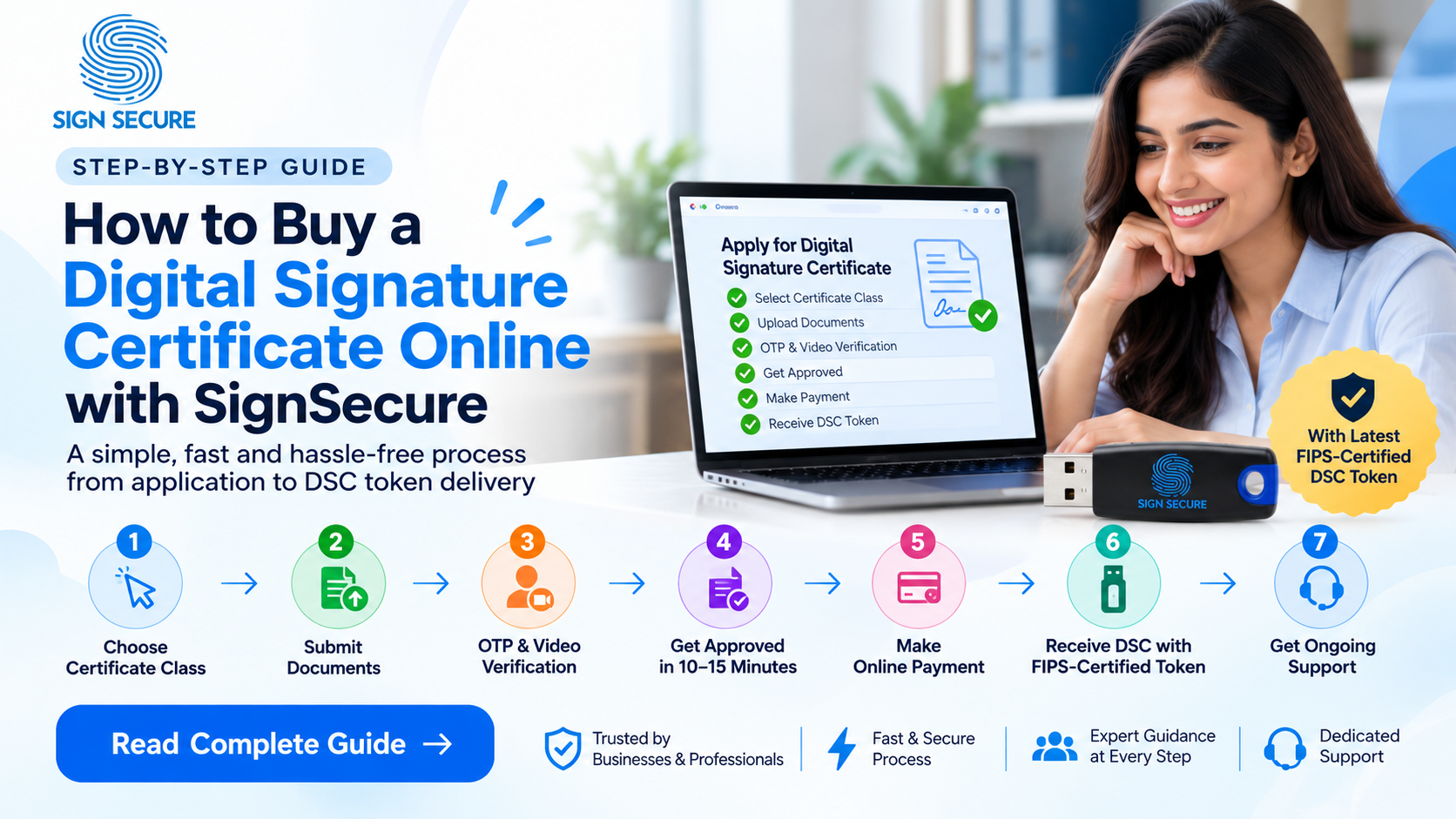
In India, if you're looking to apply for a Digital Signature Certificate (DSC) online then you'll need one to identify yourself electronically and digitally sign your documents. If you're applying for a DSC for the first time then it can be confusing to find out which certificate you should choose, what category you fall into, what documents you need, how to verify your identity and what USB token to use. Having a clear process will help you out.
SignSecure helps applicants navigate the DSC application journey, from selecting a suitable certificate to completing verification and getting support after delivery. This guide explains the main steps, what to prepare before you apply, and how to avoid common delays. Start by visiting the SignSecure DSC website and reviewing the available certificate options on the DSC Tokens and certificates page.
What Is a Digital Signature Certificate?

A Digital Signature Certificate (DSC) is an electronic certificate that links a validated identification to cryptographic keys. It can be used to digitally sign documents or for other security purposes. Depending on the type of certificate and use, it can help ensure the recipient of the digital document can validate who signed the document and if it has been altered. In India DSCs are issued by licensed Certifying Authorities which operate under the relevant framework set by the Controller of Certifying Authorities (CCA). More information on the framework can be found on the Controller of Certifying Authorities website.
A Digital Signature Certificate is not the same as adding an image of a handwritten signature into a PDF. A certificate utilises cryptography. The type of certificate and its purpose will affect the type you need. Ensure you understand what requirements your portal/organisation/workflow will have.
Who May Need to Buy a DSC Online?
Digital Signature Certificates can be used by individuals, professionals, company officials, exporters, contractors & organizations depending on their needs. These can be used for various purposes like income tax, company related processes, e-tendering, procurement portals, customs & foreign trade & also for signing business documents. Always make sure to confirm the exact requirements of the certificate from the portal or authorities concerned.
For example, users may need to check official requirements on the Income Tax e-Filing portal, the Ministry of Corporate Affairs website, the Government e-Marketplace (GeM), or the Directorate General of Foreign Trade (DGFT), depending on their purpose. These links are useful starting points; they do not replace the specific instructions for your transaction.
Step 1: Choose the Right Digital Signature Certificate
Go to the SignSecure DSC page. Look through the different certificate types, and pick one that will work for you. You may need to consider if you are applying for yourself or on behalf of an organisation, which portal you’ll be using the DSC on, whether you need a signing certificate or certificate with encryption, and how long you’d like the certificate to be valid for.
Don’t get confused by certificate names that sound familiar, or that someone else is using. Some certificates may not work for some portals. If you’re unsure what certificate type/class to go for, contact our SignSecure sales team. Let them know what you’ll be using your DSC for (signing tenders, company forms etc) so they can help direct you to the correct certificate.
Before finalising your choice, double check who you are applying as, certificate type, validity, if a USB crypto token is needed or provided, and what the options are for delivery. This can help avoid any unnecessary changes later on.
a) Individual DSC vs Organisation DSC

Before applying for a Digital Signature Certificate, understand which applicant category suits your requirements.
Individual DSC | Organisation DSC |
Issued to an individual | Issued to an authorised individual associated with an organisation |
Used for personal and professional purposes | Used for business and organisational compliance |
Suitable for individual applicants | Suitable for directors, authorised signatories and employees |
If you need a DSC for company-related filings, e-Tendering or business transactions, check whether an Organisation DSC is required by the respective portal.
b) Signature DSC vs Encryption DSC vs Combo DSC

Depending on your requirements, you can choose from three certificate functionalities.
- Signature DSC: Used to digitally sign electronic documents and authenticate the signer's identity.
- Encryption DSC: Used to encrypt sensitive information and ensure secure communication.
- Combo DSC: Provides both signing and encryption functionality through the applicable certificate configuration.
Choose the certificate type according to your intended use and the relevant portal's requirements.
c) Digital Signature Certificate Validity
When purchasing a DSC online, you can select a validity period according to your requirements.
Validity | Suitable for |
|---|---|
1 Year | Short-term requirements |
2 Years | Regular professional use |
3 Years | Long-term requirements |
The certificate validity begins according to its issuance details. Once expired, a new certificate application is generally required.
d) Do You Need a USB Token with Your DSC?
A DSC USB Token securely stores your Digital Signature Certificate and private key, allowing you to use your certificate with compatible applications.
At SignSecure, you can check the available options:
- DSC Without Token: For applicants who already have a compatible USB token.
- DSC With Token: For applicants who require a new USB cryptographic device.
Popular options include EPASS2003, HYP2003, Watchdata ProxKey and mToken.

e) How Much Does a Digital Signature Certificate Cost?
The price of a DSC depends on its type, applicant category, validity period and USB token selection.
SignSecure offers different DSC options to meet individual and business requirements.
f) How to Check DSC Compatibility with Government Portals?
Before purchasing a DSC, verify the certificate requirements of the portal where you intend to use it.
Some popular portals include:
Check the required certificate type, applicant category and signing or encryption functionality. If you are confused, contact the SignSecure sales team before applying.

Step 2: Submit the Required Documents
After you have chosen the correct option, complete the application as instructed. The required documents will vary depending on the applicant type, certificate type, identity verification type and rules of the Certifying Authority you are applying under. You may be asked to provide:
Clear copies of documents. Ensure that the information provided matches that of the application. This includes ensuring that names, dates and other identifiers match between the application and documents. Blurred documents, cropped documents, incorrect information and incomplete documents may cause you to be asked to correct the information causing delays.
Only use the official application process to upload your documents. Avoid sending any sensitive documents regarding your identify through unofficial channels. Never give away your OTP or login details. If you are unsure what document is needed to complete your application, contact SignSecure for advice. The rules and guidelines can be found on the CCA website. Please check the instructions from the relevant issuing Certifying Authority.
Step 3: Complete OTP and Video Verification
Identity verification is required during the DSC application process. Ensure you follow the prompts in your application to complete the verification using OTP and video. Depending on your application method you may need to have access to the mobile number or contact you provided when registering for your DSC. You will also need to have a device with a working camera.
Ensure you are in a well lit area, your device is secure and you can be seen clearly. Your face and any required information should be visible. Follow the prompts exactly and do not edit the video unless instructed to by the official. Once completed submit your verification through the official method.
If you are unsure how to complete the video verification, SignSecure’s team are here to help you understand the process. Whilst we can support you we will not complete the verification for you. It is important that you provide accurate information. If incorrect information is provided, video is unclear or instructions not followed you may need to resubmit.
Step 4: Application Review and Approval
Once you submit your documents and verification details your application will be processed according to the issue process. If your documents are complete, details are correct and verification is successful then your application will typically take between 10-15 minutes to be processed by SignSecure. Please note this is not guaranteed. Processing times can be affected by queue times, extra checks, technical issues or clarification requests.
Keep an eye on your contact method for any updates requested by our team or Certifying Authority. If a correction request is made then responding quickly to it can avoid any extra delays. Once your application has passed all the relevant checks it will be issued according to the process of the Certifying Authority who are issuing your application.
Step 5: Complete the Payment as Instructed
Once on the SignSecure application you will follow the payment instructions provided. Depending on your live order flow, you may be asked to pay for your product either during checkout or later in the process. Please ensure that you review the order summary prior to completing payment to confirm the certificate type, validity, token choice, delivery charges (if applicable) and overall total.
Complete your payment using the online authorisation method provided. Ensure you save your payment confirmation. If an unsuccessful payment message appears but money has been taken from your account, please do not try to pay multiple times. Firstly check the status of your payment or get in touch with our support team quoting the relevant payment reference. We will never ask for your banking password, PIN or OTP.
Step 6: Receive Your DSC and Compatible USB Token
Once you have submitted your application and completed your order we will organise the relevant DSC and token. If you have chosen any option with a hardware token it will be used to securely store your certificate and private key. You should check if your order contains a token as different options and costs can apply.
We will aim to provide you with the most up to date FIPS certified DSC token. As this will depend on model of device you should get our team to confirm what model of token you will be provided with and what it is certified for. Store your token securely and follow the instructions provided.
Once you receive your token you should check the model and what has been provided. Only install relevant drivers/software from an authorised source. Follow the instructions on how to set your token up for your operating system and signing application. Never share your private key or token PIN with anyone.
Step 7: Get Help Using Your DSC After Delivery
There could be times when you may require support in order to install drivers, set up your browser/application, choose the right certificate or if there is an issue signing your document. If there is an issue please try to record details such as any error messages, what Operating System and application you’re using and what stage the issue is occurring at. This will make it easier for support teams to help with your issue.
During the lifetime of your certificate SignSecure will provide support with any issues you have using your DSC. If you need help getting started or have a technical issue please contact us. Please do not include any sensitive information such as your token PIN, password or OTP. Please also note that whilst your DSC may have expired, this does not mean your token is no longer functional.
Common Mistakes to Avoid When Applying for a DSC
Make sure that:
You have selected the correct type of certificate (based on your portal/workflow requirements).
The applicant and supporting document information is correct and clear.
The OTP and video verification is completed carefully and as per prompts.
The order summary is checked thoroughly (including if the USB token has been included and how it will be delivered). Make sure to save your application reference and payment confirmation.
Different portals may not accept all types of certificate. If you are applying for a specific certificate (such as foreign trade or tendering), please check the official portal instructions to make sure you are purchasing the correct certificate. For example: DGFT Portal and GeM Portal.
Why Apply Through SignSecure?
A great application process will guide you through the process and give you clarity around what is required and support if you get stuck. The SignSecure application process will take you through choosing the correct certificate, providing documents, verifying your identity, paying and receiving your certificate with your chosen token type. You can also get in touch with our team for support during the verification and after the certificate has been delivered.
Finding the best DSC for your needs. Not choosing the cheapest or most popular. If unsure, get some guidance before you apply and check that everything is correct in the order summary. Product details, validity, token and delivery. You can view the options on the SignSecure DSC website.

Ready to Apply for Your Digital Signature Certificate?
Buying a DSC is very simple if you purchase the correct certificate, provide the correct documentation and are careful to complete the verification process correctly. We can help with any queries you have about applying for a DSC and using it within our scope of support. You can find out more about your options by visiting our DSC page on SignSecure. Alternatively you can visit our DSC product page now. If you're unsure which certificate to buy please get in touch with our sales team.
Frequently asked questions
- 1. How can I buy a Digital Signature Certificate online in India?
- Visit the SignSecure DSC website, select a certificate that matches your intended use, provide the requested documents, complete the required identity verification, follow the payment instructions and complete the delivery or download steps shown for your order. If you are unsure which option to select, contact the sales team before applying.
- 2. Which DSC class or type should I choose?
- The right option depends on your intended use, applicant category and the requirements of the portal or organisation where you will use the certificate. Review the official requirements and contact SignSecure if you need help identifying the suitable option.
- 3. What documents are required for a DSC application?
- Document requirements vary by applicant type, certificate type and verification route. Follow the current checklist shown during the application and submit clear, accurate copies of the documents requested. Ask the team if you need clarification.
- 4. How long does DSC approval take?
- For complete applications with successful verification, the expected review time may be around 10–15 minutes in eligible cases. This is not a guarantee; additional checks, incomplete information or technical delays can increase the time.
- 5. Is OTP and video verification required for every application?
- The verification steps depend on the applicable application route and issuing Certifying Authority requirements. Follow the current instructions shown during your application.